How do I configure a step-by-step search?
Step-by-step search guides customers through criteria groups in the order you define, for example category, brand, then size. Each choice determines the criteria offered at the next step.
Enable the search type and arrange the steps
- Open the engine settings and select “Step by step” as the search type.
- Check “Where to search?”: changing the search type presets a search without context. After this change, also review the settings for hiding empty groups, implicit groups and empty criteria, and for displaying subsequent groups in disabled mode: several of these values are reset.
- Save, then arrange the active groups in the order customers should follow. Configure the criteria offered in each group.
Choose when to launch the search
Under “Search block settings”, choose the search submission method. To wait for the last group, select “When the last criterion is selected”. Selecting “Step by step” does not automatically select this submission method.
If you prefer customers to confirm their choices with a button, choose a search by submission method. Save the engine settings after making your changes.
Display upcoming steps
Enable “Display next criterion groups in disabled mode” to show upcoming steps before they become available. Otherwise, groups appear progressively according to the selections. Customers can skip a step where the corresponding link is offered.
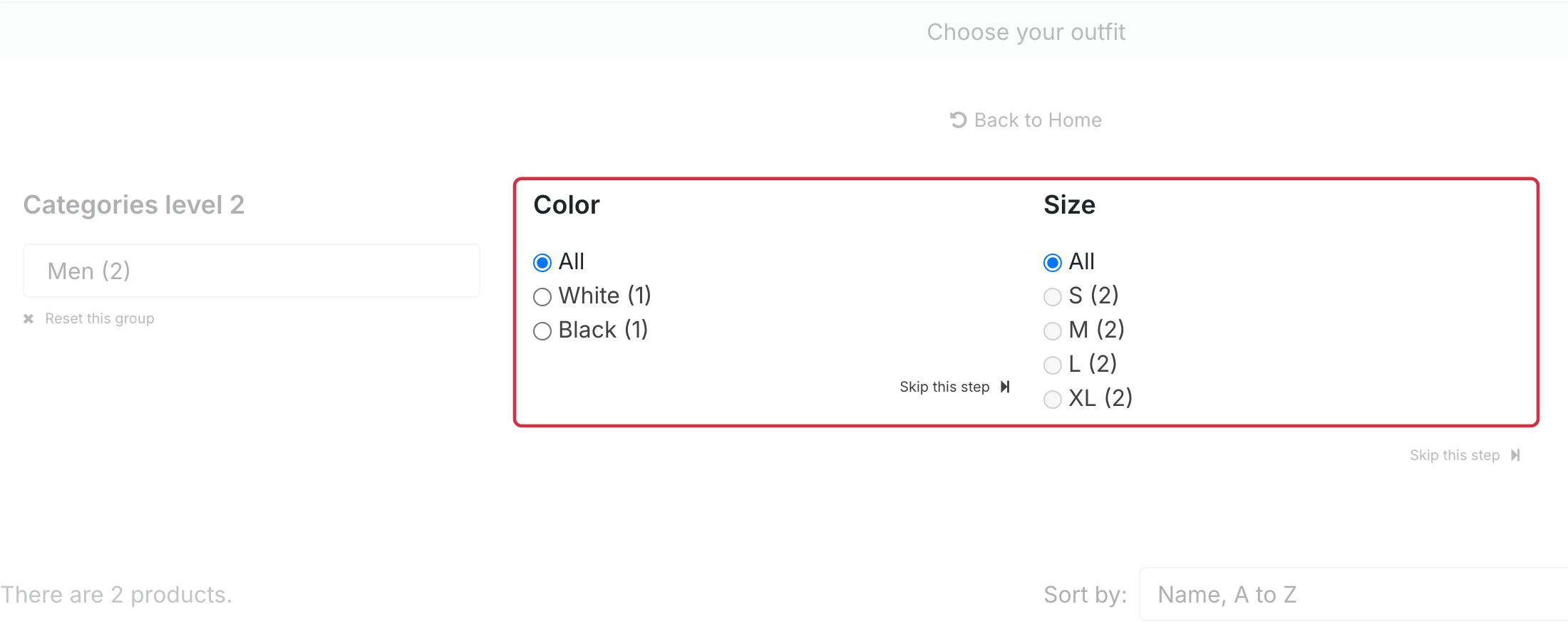
Check the storefront journey
If you changed groups or catalog data, re-index the engine using the indexing methods. Then complete every step on the storefront: check the values offered, when results appear and how the button behaves if you chose a submission method.
Also test returning to an earlier step using the reset link, if displayed. Resetting a group removes its selection and those of subsequent groups, so customers need to make their choices again for the remaining steps.
See also: create and place a search engine.
See also: organize criteria groups.