How do I keep my filters visible after refreshing the page or going back from the search results?
If the engine is present before filtering but disappears after refreshing or going back from the results, first check the result pages’ layouts. A missing column is one possible cause; the theme and its overrides can also be involved.
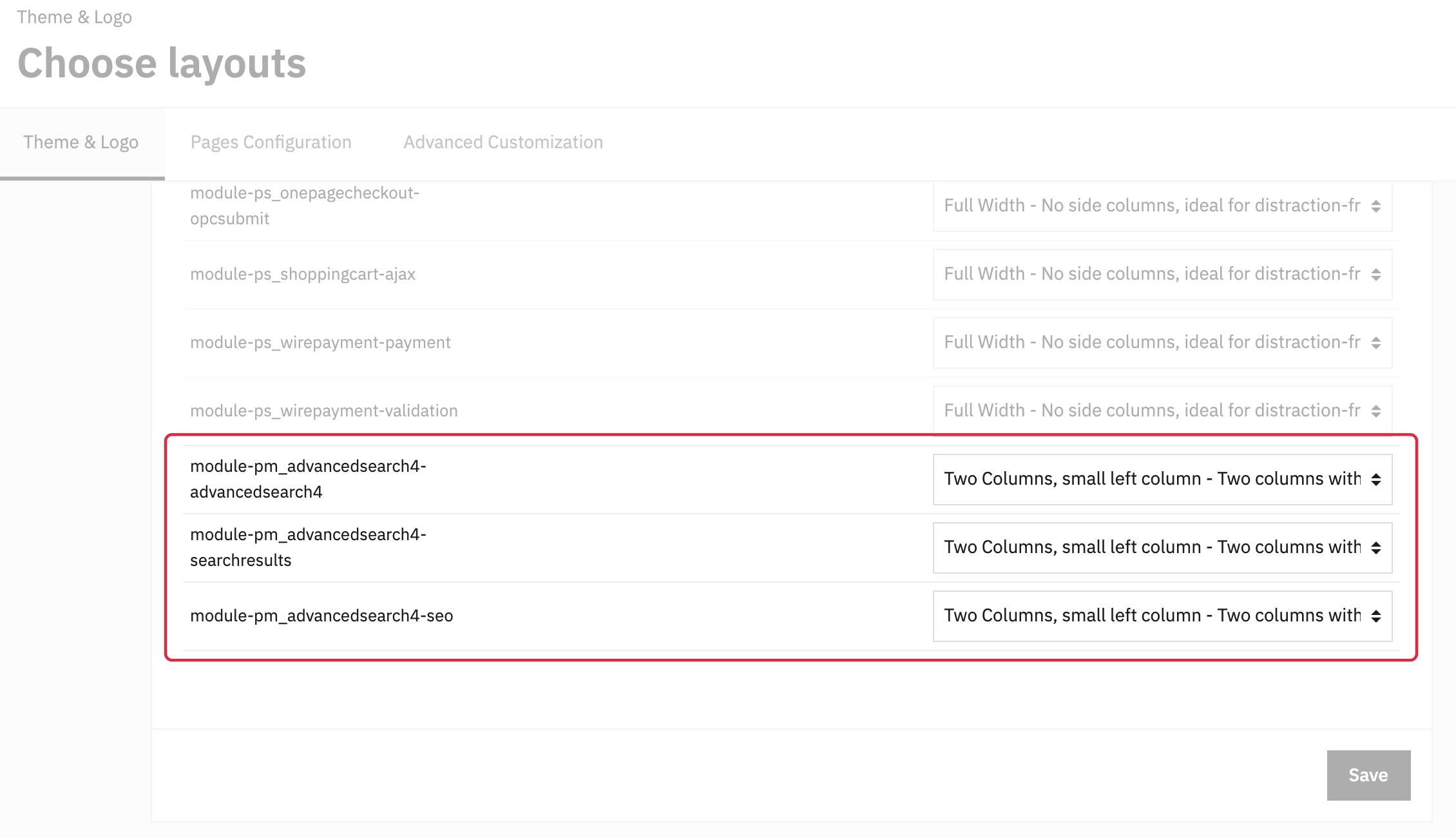
Open Design > Theme & Logo > Choose layouts. The available layouts depend on the theme.
- Find
module-pm_advancedsearch4-searchresultsand, if you use SEO pages,module-pm_advancedsearch4-seo. Also checkmodule-pm_advancedsearch4-advancedsearch4if that page is used in your customer journey. - If your engine is placed in the left column, select a layout that displays that column for the relevant pages. With Classic, this is “Two Columns, small left column”. If you use the right column, choose the corresponding layout.
- Save, open the results directly, refresh the page and check going back.
If the problem persists, check the engine’s Position, its visibility restrictions and whether the theme displays the hook. Ask your integrator to check template overrides if needed.
For an engine displayed below the products only on mobile, also see this FAQ.