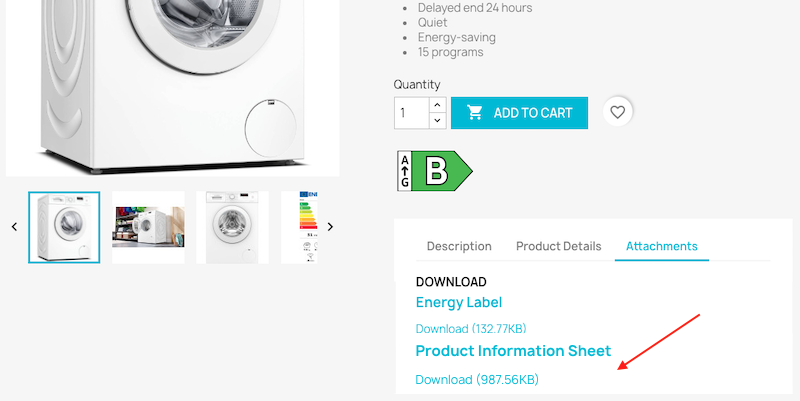
How to join the full energy label and the product information sheet to my product page?
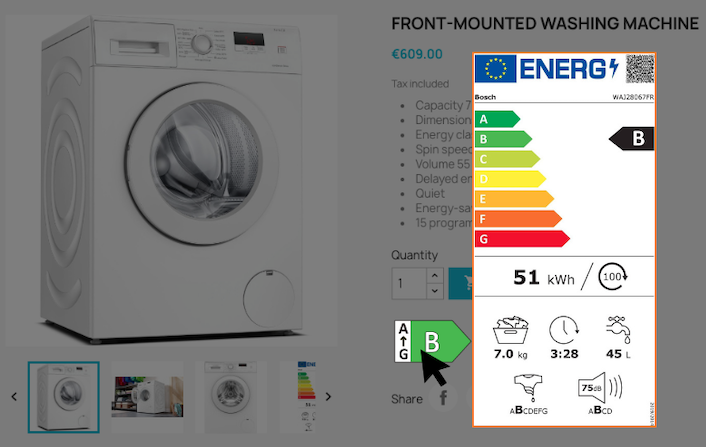
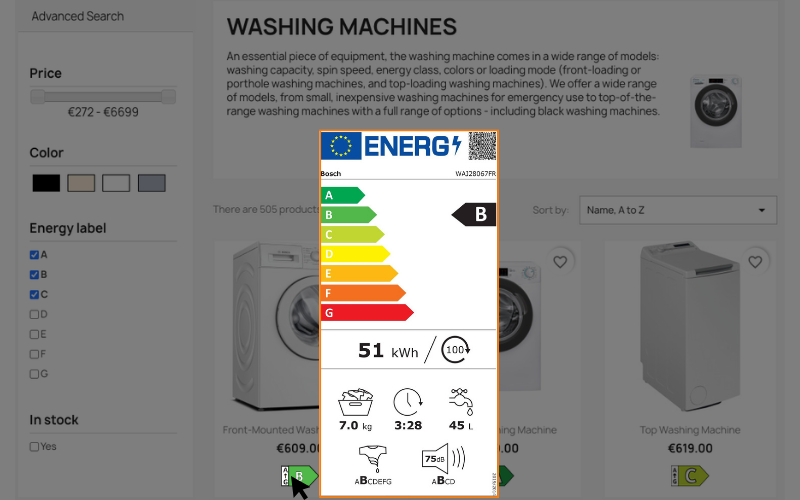
In addition to displaying the energy label in arrow form, containing the appliance's energy class, you must also make the complete energy label easily accessible, containing the scale used, the energy class and several pictograms characteristic of the appliance. The information sheet containing the additional official technical information declared by the supplier in the European EPREL database must also be available for download.
For each product, attach both documents: the badge opens the selected complete label, and the information sheet is available in the attachments section.
First of all, go to the "Files" tab of your PrestaShop back-office menu, in the "Catalog" section:
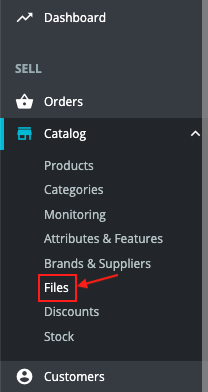
Click on "Add new file" and upload the complete label of your first product. Do the same for all products.
Proceed in the same way for information sheets.
Once you've done this, go to the form of the first product concerned by the regulations.
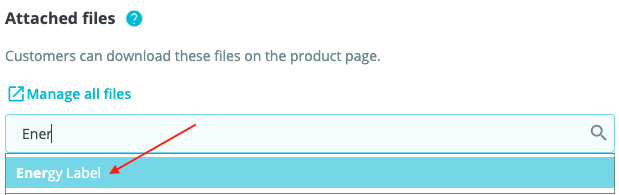
In the "Details" tab, scroll down to the attached files section and, in the search field, start typing the name of the product's complete energy label:
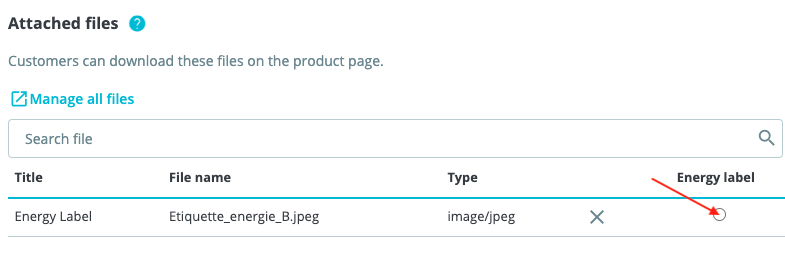
On the row containing the complete label file, select the radio button in the “Energy label” column. The badge on the product page will open this file. Only one document can be linked to each product’s badge. Select another row to change the document, or click “Undo” to remove the link.
The badge appears only if the product has an A to G class in the feature used by the module: see the module configuration.
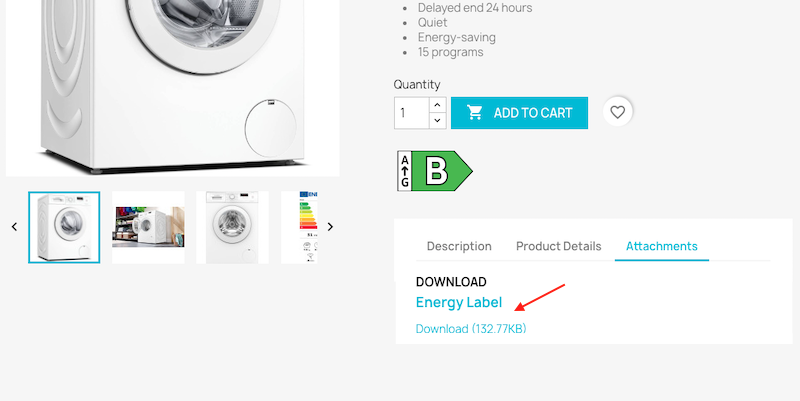
Please note that the label can also be downloaded from the attachments tab of the product page:
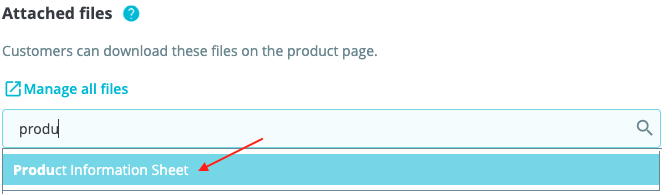
Also add the product information sheet to the product’s attached files, without selecting it instead of the complete label in the “Energy label” column. It will be available in the attachments section of the product page:
This information sheet can then be downloaded from the attachments tab of the product sheet: