How do I add or remove compulsory products from recommendations?
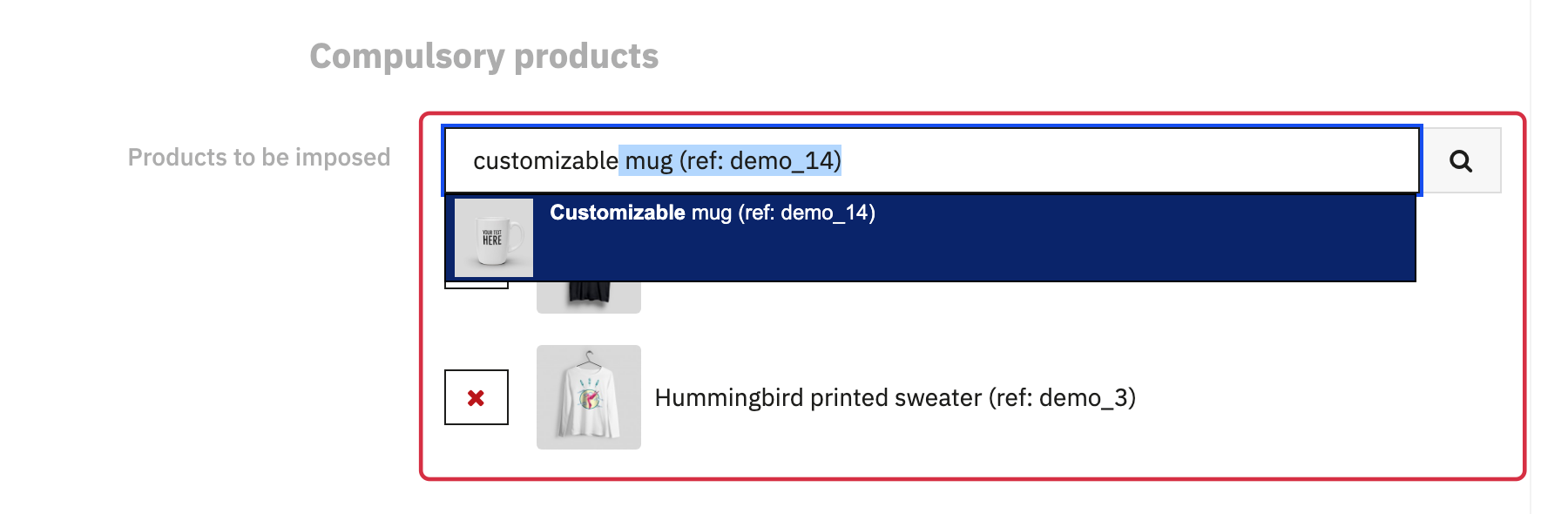
In the module configuration, open Settings > Compulsory products. Start typing a product ID, reference or name in the search field, then select the required result. The product appears in the list below the field.
Repeat the search to add more products. To remove one from the selection, click the cross on its row. Then click Save to keep your changes.
Why might a selected product not appear?
Compulsory products are added to the selection before accessories and products often purchased together. They remain subject to catalogue access permissions, active status, availability for order, visibility and stock rules. The product being viewed on a product page is always excluded.
If Display products that are already in the cart is disabled, only compulsory products already in that cart are excluded for this reason. Other compulsory products can still be recommended if they meet the criteria above. Selecting a compulsory product therefore does not guarantee it will appear in every situation.
If no products appear on the cart page, see the troubleshooting FAQ.
See also: understand recommendation sources.