How do I group several values under a custom criterion?
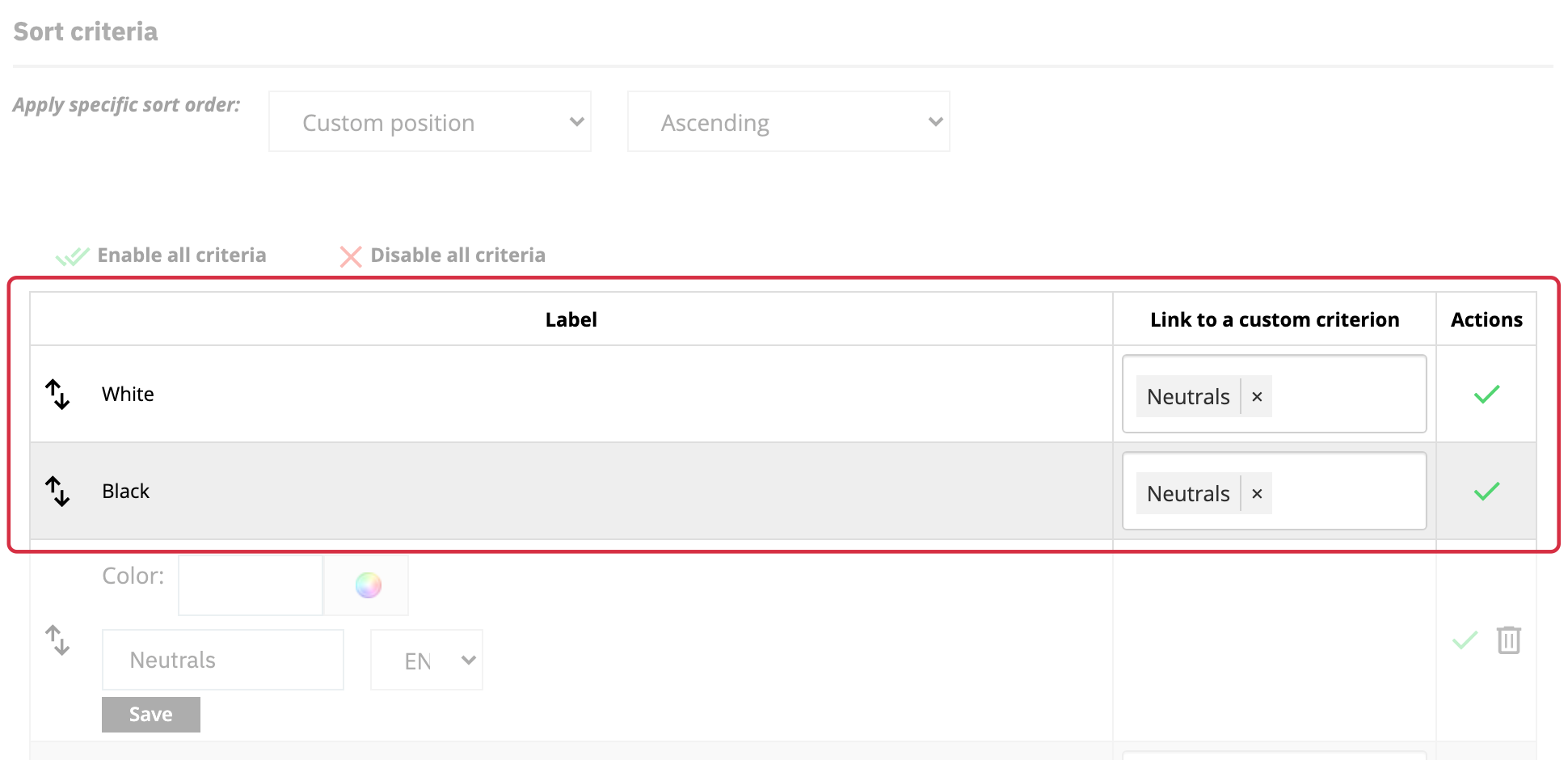
A custom criterion lets you present several existing values under one label in the filters. For example, you can offer “Neutrals” for the native color values “White” and “Black”.
Create the shared label
Open the relevant group’s settings. If “Create a new custom criterion” is available for this group type, enter its label in the required languages, then click “Add custom criterion”. For a color group, you can also choose its displayed color.
Link catalog values
In the criteria table, use “Link to a custom criterion” to associate native values with the criterion you created. For example, link “White” and “Black” to “Neutrals”. This mapping is separate from merely renaming a value.
Creating “Neutrals” alone does not group the values: you must create the links on the original value rows. The names of the values in your catalog remain unchanged.
Check the filter
Then check the filter and its results on the storefront with products whose values you know. You can edit custom criterion labels in the list. To update the engine’s source data, see re-indexing.
See also: add and configure criteria groups.