Why is the banner not displayed when the module is well configured?
There are several reasons why your cookie banner may not be displayed:
- Has a choice already been saved in this browser? After accepting, declining or customizing consent, the banner normally stops appearing while the choice is stored. To test again, use the consent revocation link on your shop (in the customer account or, if enabled, in the footer for visitors who are not logged in), or start a new private browsing session after closing any existing private windows. You can also use simulation mode to test the display: see How does the simulation mode work?
- Is the banner text filled in for the language being viewed? In the module's Settings tab, use the language selector to check the banner content for each active shop language. If the content is empty for the language used in the front office, the banner will not appear in that language.
- This may simply be a cache problem. Make sure that you have cleared your store's cache and your browser's cache. Moreover, if you are using a cache module, you need to create an exception for the "Advanced Cookie Banner" module. Some caching modules also need the "Advanced Cookie Banner" module to be set to "dynamic".
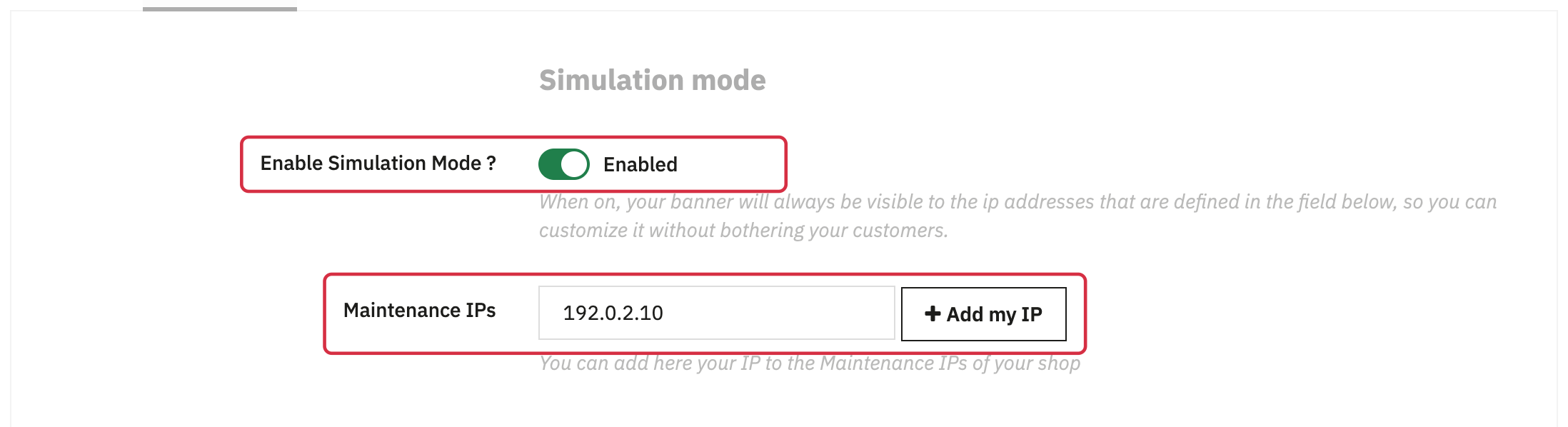
- If you have activated the simulation mode of the module, check that there is no error in the associated IP address. By default, the simulation mode will be active for the maintenance IP addresses indicated in your PrestaShop store settings (menu "Shop Parameters" -> "General" -> "Maintenance"). You also have the possibility to add your IP in the module configuration, under the option to activate the simulation mode, by simply clicking on the "Add my IP" button:
- Check your theme's hooks. Since Advanced Cookie Banner 3.0.0, the banner is displayed through the
displayFooterAfterhook, which replacesdisplayFooter. The module also usesdisplayHeaderto load its resources. Check that the module is attached to the required hooks and that your theme executes them. If necessary, ask your theme developer to check their integration, specifying your module version. - If you use a page builder such as AP Page Builder, check that the rendered footer executes
displayFooterAfterfor module versions 3.0.0 and later. A visible footer does not guarantee that this hook is executed; ask the page builder's developer how to integrate it.