How is a pack order displayed in the back office?
When a pack is purchased, the module replaces the pack line with its component products in the order details. These lines include the selected combinations and the purchased quantities.
For example, if a pack contains a Demo camera with the Black combination, a Demo tripod and two Demo photography guides, the order details show the three components:
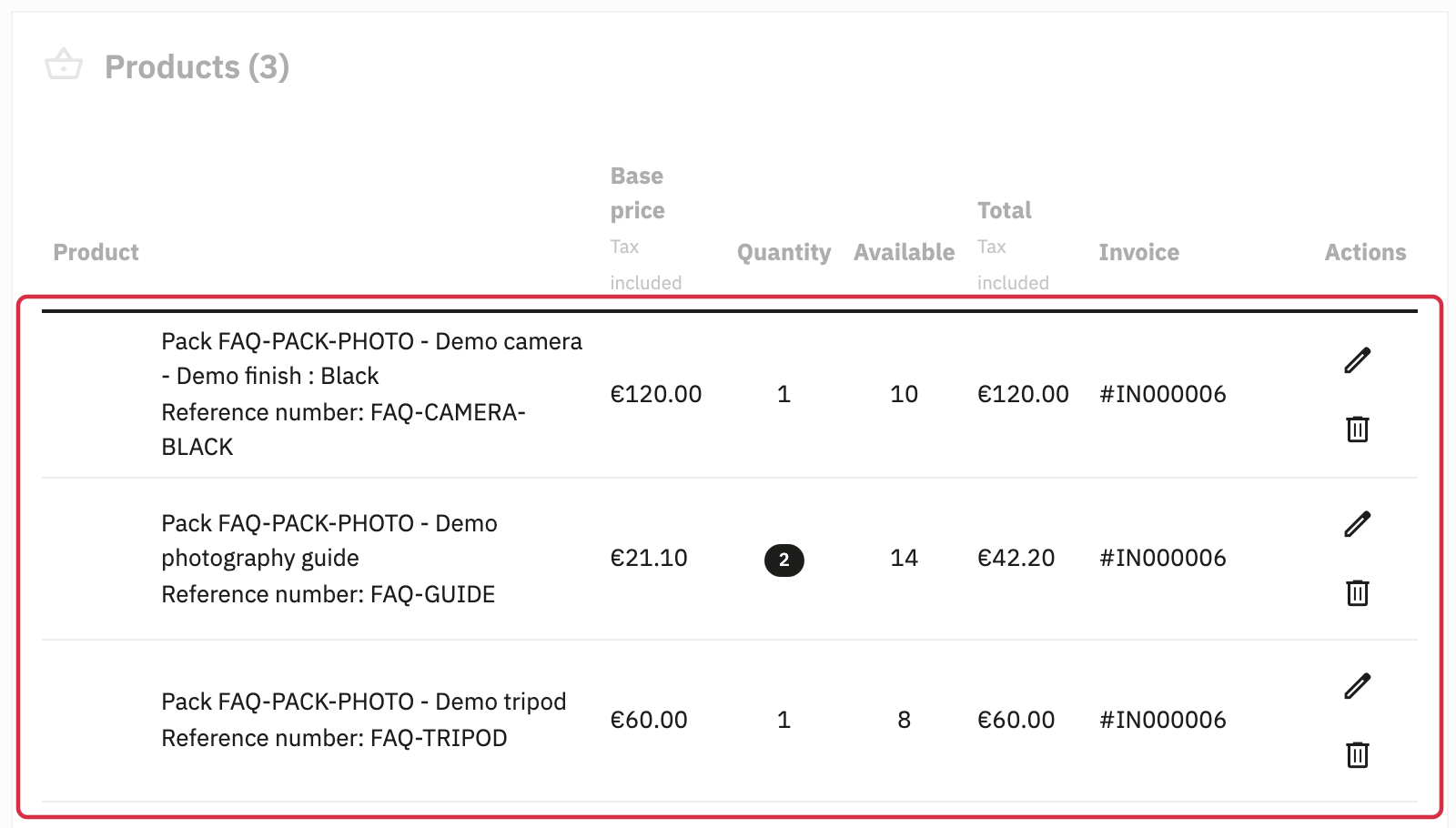
Each component’s stock is reduced by the quantity purchased. See the stock FAQ for the pack availability calculation.
Components can also have different VAT rates: the order lines and invoice use the taxes of the relevant products. See the FAQ on different VAT rates.
Identify products originating from a pack
In the module configuration, open “Specific settings”. “Prefix to add on order details” offers “None”, “Pack ID”, “Pack Reference”, “Pack ID + Pack Reference” and “Pack name”. Choose the required identifier, then save.
The prefix is added to component names when order lines are created. With “Pack Reference”, no prefix is added if the pack has no reference. This identifier can help you prepare common packaging for the products in a pack.
For their technical storage, see the FAQ on order lines in the database.
Other FAQs in this category
- Is it possible to create packs with products for which the VAT rate is different?
- Is Advanced Pack 5 compatible with my management system like ERP?
- Can I place an order of a pack through my back office?
- Is it possible to export/import pack orders to/from a marketplace?
- How is the ordering of a pack in database managed?
- How are stocks managed when ordering a pack?